
Events Screen
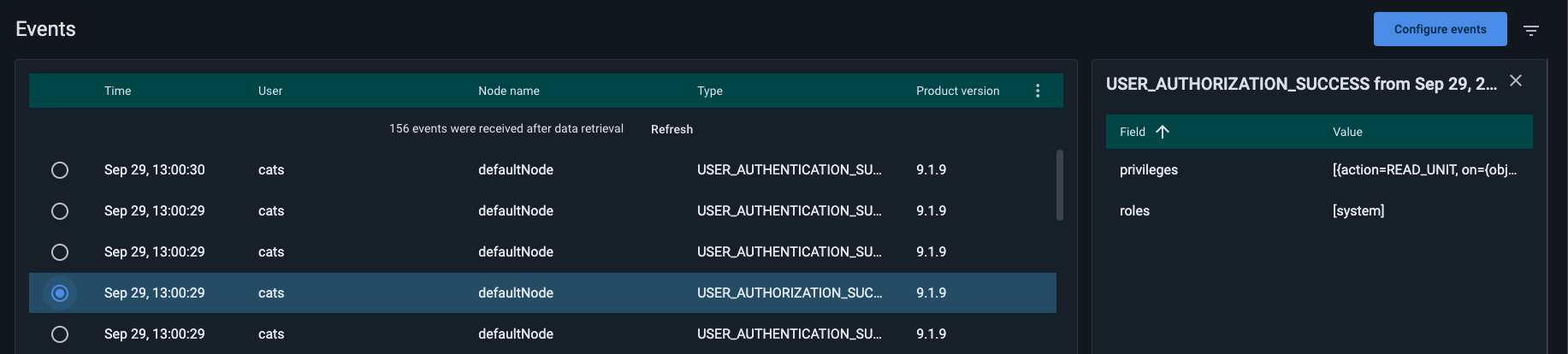
GridGain Nebula supports event management for GridGain 9 and Apache Ignite 3 clusters. You can view, inspect, and manage events through the Events screen.
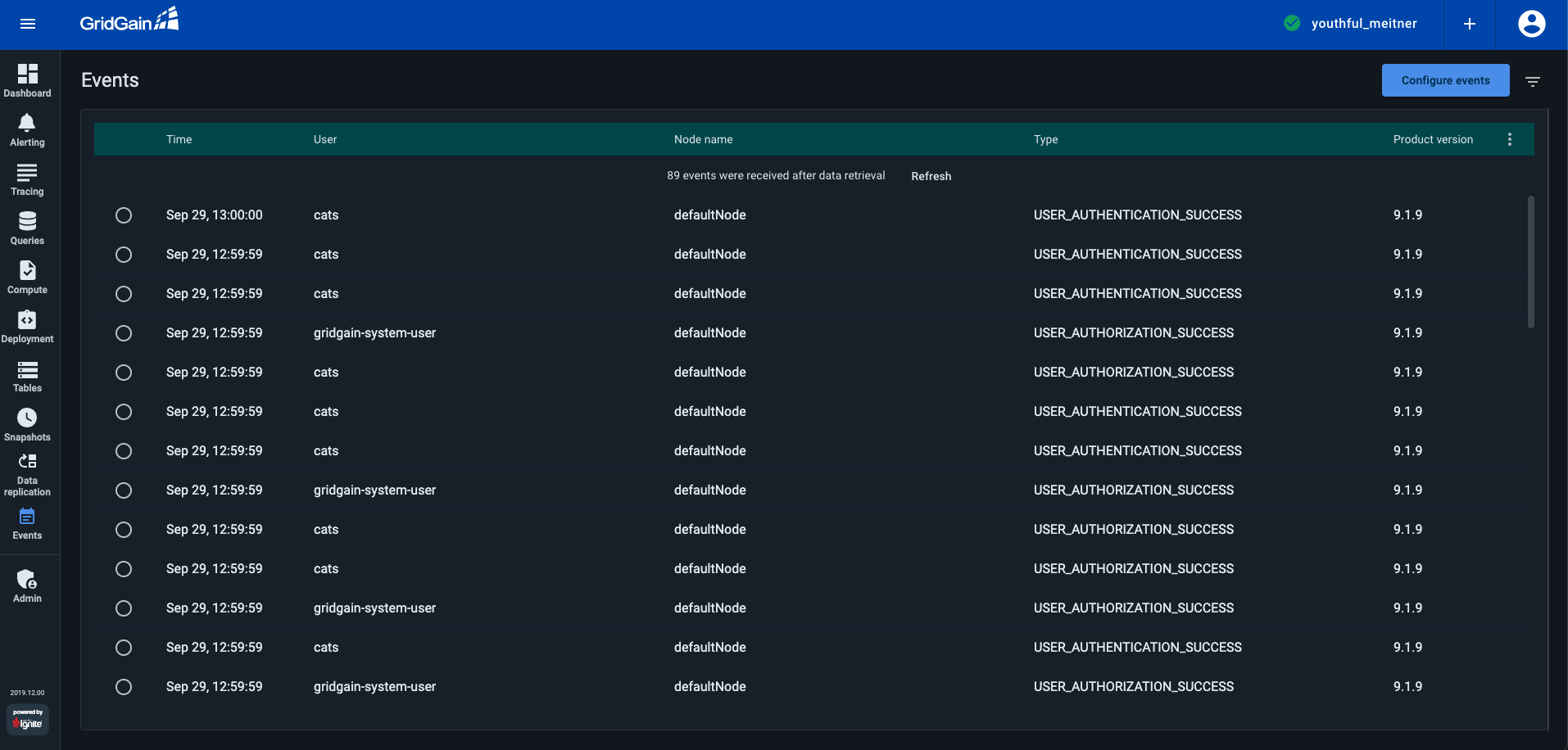
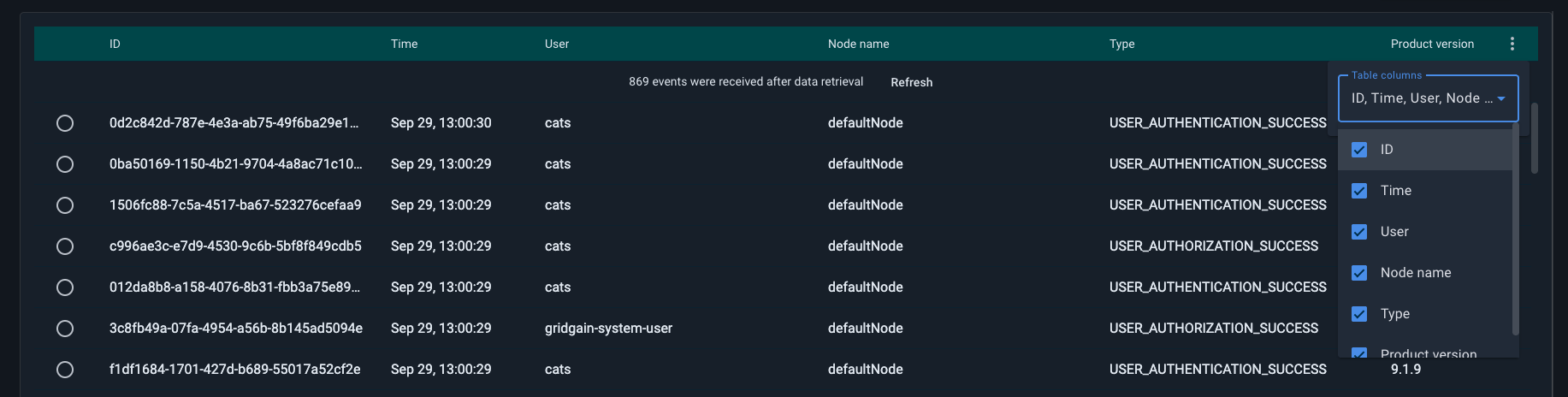
You can choose which event fields to display by selecting the corresponding options in the ⋮ menu on the right side of the table.
Default Events
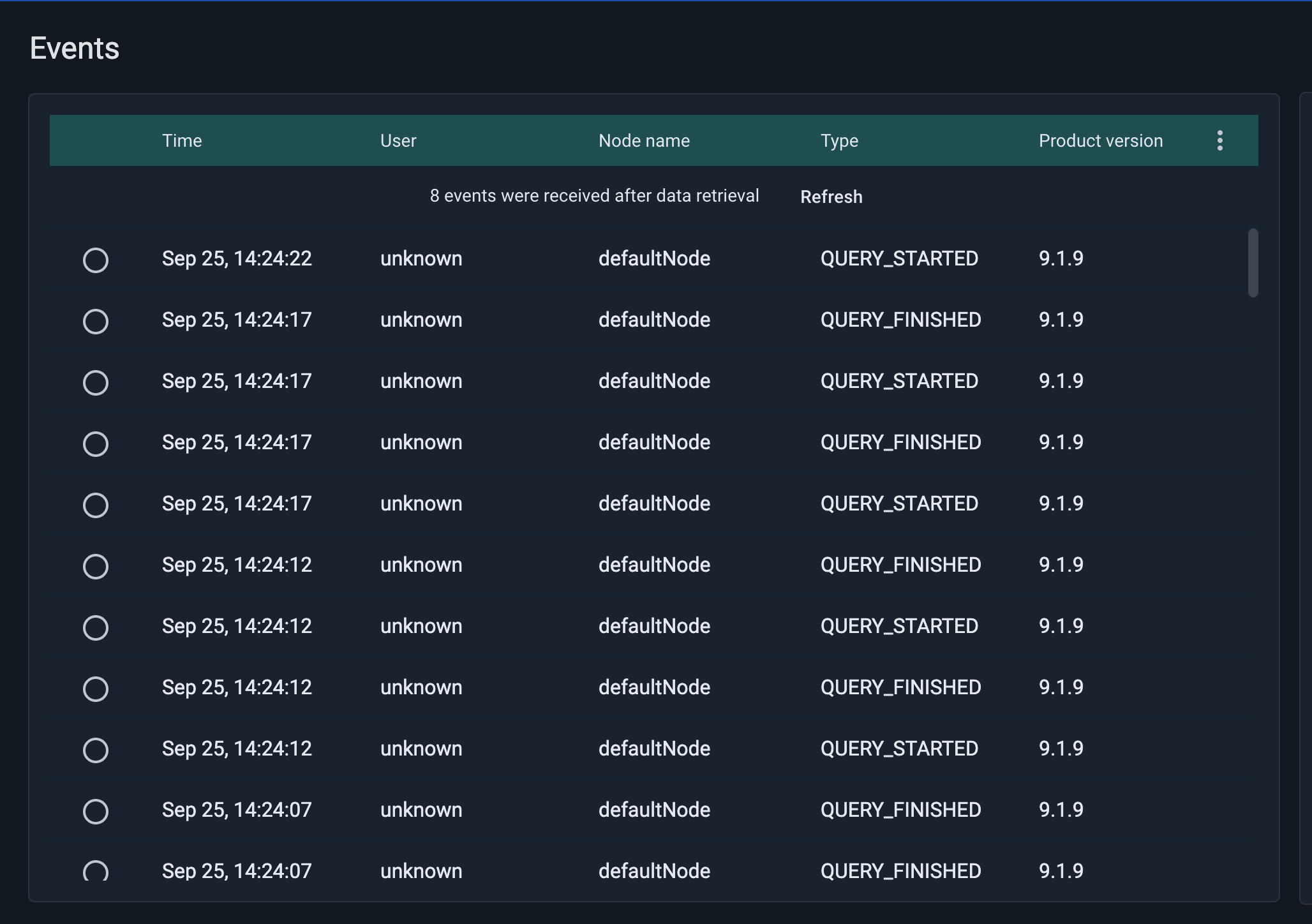
For Managed clusters, QUERY_FINISHED and QUERY_STARTED events are enabled by default.
Configure Events
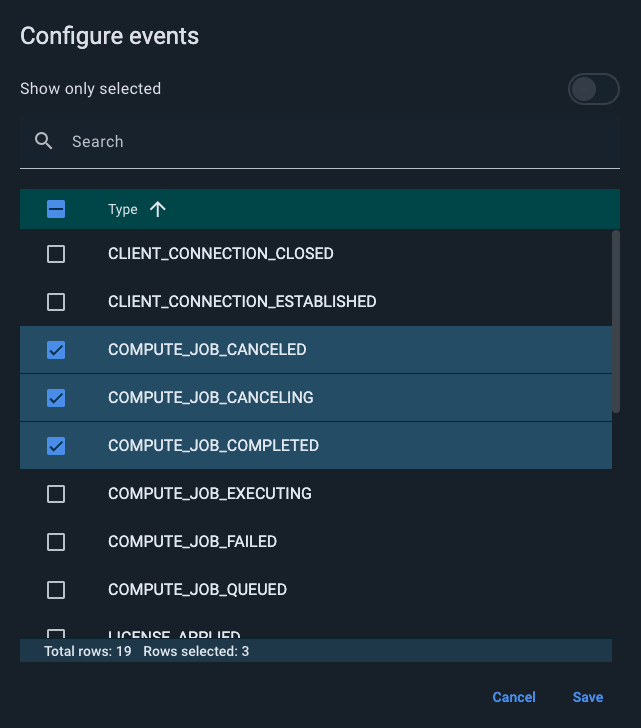
You can configure the Events screen to show only specific types of events. Use the configuration menu on the right side of the screen to select the event categories you want to display.
View Event Details
To view the details of a particular event, select the event in the table. A details panel will appear on the right side of the screen.
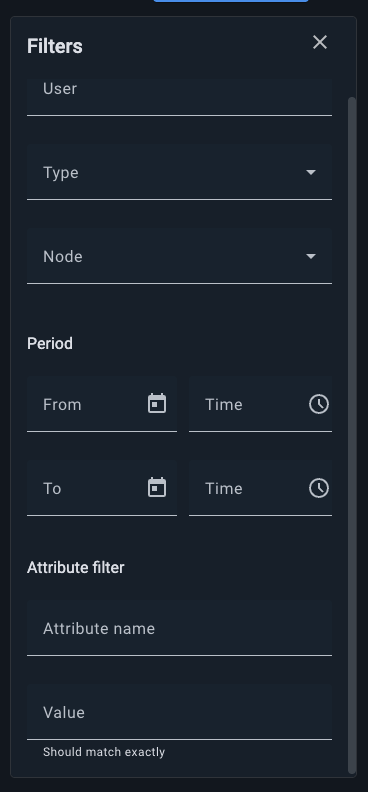
When applying filters, you can narrow down events not only by type, user, node, or time period, but also by event attributes. This allows for more precise control when analyzing cluster activity.
© 2026 GridGain Systems, Inc. All Rights Reserved. Privacy Policy | Legal Notices. GridGain® is a registered trademark of GridGain Systems, Inc.
Apache, Apache Ignite, the Apache feather and the Apache Ignite logo are either registered trademarks or trademarks of The Apache Software Foundation.